I’ve been on a weight loss journey for as long as I can remember.
It’s not like I’m obese or anything, just conscious.
Guessing it’s because my dad’s tummy sometimes scares me.
So I have developed a somewhat inconsistent routine that fluctuates with my mental state.
Some days I’m fit for press-ups, lunges, and planks.
Other times, I go on road walks, hit the pitch, or simply … sleep off those stubborn calories.

While there’s still hope that I will someday achieve my chiseled abs goal, all these exercises require different workspaces …
which makes them almost impossible to track.
Relato promises to solve this problem, but not for fitness enthusiasts like me.😒
It deemed freelancers, content marketers, and agencies tired of juggling apps a wortheir client base.
Jealousy aside, let’s see how it’s faring.
What is Relato?
“A Content Operations Platform”📚🛠️🏢

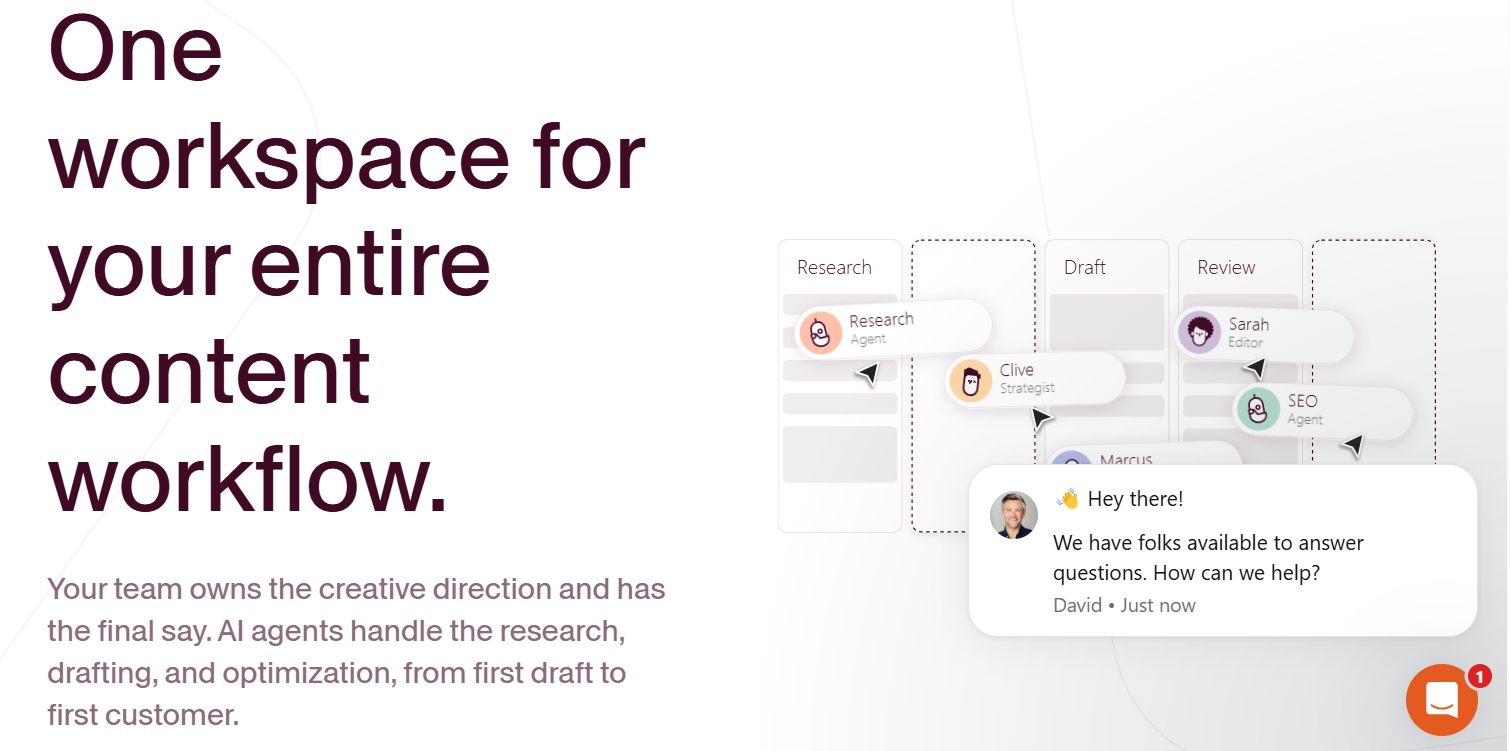
Relato is a content operations hub scaling the problems content marketers face working across multiple platforms.
For example:
A typical content team relies on Trello boards to brainstorm content strategies;
they share briefs and communicate with collaborators on Slack,
create content on Google Docs,
and then publish on WordPress.
And this is just the inner workings of a typical content team.
(I can’t begin to imagine how marketers like you and me who “think differently” work.)
To bring a sense of decorum to this otherwise scattered patchwork of platforms, each doing a little but never enough,
- Relato combines the organizational structure of a dedicated Content Library,
- with Shared Workspaces that align teams around common objectives,
- and then promotes collaboration with its Projects and Task Management toolkits.
In a nutshell, Relato’s content library brings together all your content assets in a centralized way.
|
It gives everyone access to Google Docs files (without anyone having to ask ), eliminates the need for Slack and Trello boards, keeps everyone informed about key performance metrics, and integrates with your preferred CMS. |
Organizing Your Workspace
I’ve got a theory: if you love your workspace, you’ll love your work a little more. — Cynthia Rowley

The first time I tried getting fit …
the only equipment at my disposal was a set of church benches used to host zonal meetings in my Dad’s compound every Wednesday.
So I put a few benches together,
made a barbell and a dumbbell out of concrete, and got to work –
believing this makeshift setup is more than enough.
In a not-so-similar fashion,
the first thing you’d need to put together when getting started with Relato is your Workspace.
(not so similar because with Relato, you won’t have to settle for a makeshift setup)
Creating a Workspace on Relato gives you all the tools you need to clarify the purpose of your work and what you intend to achieve.

You will find pre-built templates for managing informative content marketing posts, thought leadership articles, landing page designs, YouTube videos, social media strategies, and much more.
Each template comes with predefined workflows.
The default workflows begin at ideation and end at publishing.
However, we both know you ain’t looking to add a $25/mo bill to your budget to settle for “default options,” so you might value the ability to add and delete templated workflow stages as needed.

And if none of its templates fit, you can create one from scratch.
After choosing a template (or creating one from scratch), you’ll be inclined to state the purpose and goal of your workspace.
I like to think of this as noting the key reason I chose to embark on a fitness journey in the first place: to burn belly fat.

With clearly stated goals, you would have an easier time making sense of the materials or feature sets at your disposal.
The next best tool you might find interesting when setting up a workspace is the Content Library.
Relato’s Content Library houses a wide range of assets, including onboarding documents, style guides, brand guidelines, Google Drive files, Loom videos, and Dropbox resources …
everything your team needs to create content correctly.

It also allows you to enrich all published assets with metadata, guaranteeing an accessible and organized workspace.
After structuring your Library with the basic onboarding materials, you can then invite team members.
Alternatively, you can invite team members first and then collaboratively structure your library.

But keep in mind that while inviting team members or stakeholders into your workspace doesn’t require a company email ID,
you have to give each user a custom role (writer, editor, manager, observer, stakeholder, etc.) to regulate the information they have access to.
|
In Summary Relato’s workspaces provide the dedicated templates and custom workflows needed to manage content programs, eliminating the need for makeshift setups. You can use it to set content goals, organize onboarding assets, and collaborate with team members. |
Customizing Workflows & Creating Projects
Of all the things I’ve done, the most vital is coordinating the talents of those who work for us and pointing them towards a certain goal.

With my makeshift setup in play, I kick-started my exercise routine with sit-ups, played around with barbells, flexed my muscles with dumbbells …
then called it a day with press-ups, which I later realized was a very wrong routine for someone trying to burn belly fat.
So having an overall objective and a suitable workspace doesn’t necessarily mean you have everything figured out.
You still need a duly mapped-out, tried-and-true content plan.
And that’s what Relato’s Workflows are all about.

Relato’s default Workflows (which depend on the template you choose) are optimized to help you
- structure new content programs,
- restructure existing ones,
- and keep team members informed about the content initiatives in motion.
But not without a catch! While the Workflows are easy to set up and edit, the views, insights, and perspectives offered across the hub can feel overwhelming at first sight.
Click on a workspace, and you will be presented with a dashboard containing “Board, Table, Calendar, and Approval” hubs …
each offering dynamic, tweakable overviews of how the projects and tasks within different workflows are coming along.
- Board – provides a Trello board-like overview of all active projects
- Table – offers spreadsheet-like overviews of all your active projects
- Calendar – shows all the projects in your workspace by a filtered date
- Approval – tracks active and past content approval requests
It also allows you to pair multiple filters (e.g., workflow stage, assignee, channels, content pillar, labels, date range, etc.) to create Custom views of prioritized info.

However, these views only help review what’s happening within the projects in your workflow at a surface level.
To go beneath the surface and effect changes that keep you and your team on the same page, you need to create a new Project or click on an existing one, which also provides the option to toggle between an advanced or focused view.

Overall, the Project page gives you two sets of structural toolkits: one for operations and the other for strategy.
Think of the operation’s toolkit as a hub that tells you what’s currently happening within a project. It provides,
- A visual bar showing how far along a Project is
- A status bar to show if the project is “in progress”, “completed”, “on hold”, etc.
- An assign bar to show who’s currently overseeing the project
- A priority tab to show the urgency level (high, medium, low)
- A workflow stage bar to track the project’s lifecycle across your workflow
- And a start and due date bar to adjust the project timeline as needed.

The strategy toolkit, on the other hand, focuses on how the project fits into specific content objectives within your overall workspace.
For example, the first feature you will find in the strategy toolkit is the Channels bar.
This bar helps you organize projects by the exact platforms you are creating content for, so you can spot repurposing gaps and keep everyone informed about the content effort in play.
It’s segmented into six distinct categories: publishing, website, social, community, outreach, and knowledge, with each having multiple sub-categories as shown in the image below.

Other features in the strategy toolkit include:
- Pillar pages or high-level topics within your overall content plan a project is linked to
- Content types (case studies, battle cards, how-tos, price list, etc.) you want a project to produce
- Funnel stages to align a project with overarching strategic goals (TOFU, MOFU, BOFU)
- Labels to tag a project with relevant keywords so you can easily filter and organize projects within your workspace.
- URL fields to add links to a Project’s published content or relevant external resources.
|
In Summary Relato’s workflows offer customizable project management dashboards with operational and strategic toolkits to structure content programs. You can use its toolkits to track a project’s lifecycle across your workflow, categorize content by channels, and align content initiatives with other strategic goals. |
Assigning Tasks & Automating Workflows
I long to accomplish a great and noble task, but it’s my chief duty to accomplish small tasks as if they were great and noble.

After a few weeks of countless push-ups and Olympic-level weightlifting, which left me with broad, rounded shoulders like an aspiring bouncer, my plump belly remained constant.
So I ditched my existing workout routines and took the advice of a YouTuber with chiseled abs.
Only then did I realize that, aside from focusing more on squats, lunges, and planks—and monitoring progress with a fitness app—I need to stay hydrated, add dietary plans, and meditate often to remain on track.

Again, in a not-so-similar but somewhat familiar fashion…
Relato’s Task hub helps you break down projects into step-by-step action plans so you can easily double down on what’s working and ditch what’s not working.
You can use the task hub to
- designate workloads to team members,
- set due dates,
- link assets related to the assigned tasks,
- drop messages with @ mentions,
- and send approval requests to stakeholders involved in signing off on the project.

Also, when a team member completes an assigned task within the hub, Relato sends in-app and email notifications to other individuals involved in the project …
and automatically updates the next in line within the workflow.

But lest we forget, this raises a crucial question in the minds of content managers:
Must the content manager overseeing multiple writers and editors manually grant access to the next-in-line when the strategy requires tasks to be carried out in succession?
Or can they automate the process?
Well, while Relato provides all the rules, triggers, and conditions you need to automate such processes, the level of automation you get depends on your plan.
For instance, with a free account, you can automatically add all members to a project, auto-add tasks from a workspace template, and ensure team members have completed all the tasks within a project before granting access to the next stage of your workflow.

But the free plan only gets you so far –
especially when you want to automatically assign tasks to your team based on their default workspace roles, auto-set funnel stages, or speedily turn finalized projects into WordPress posts –
in such cases, you would need a Business plan.
|
In Summary Relato’s task management system supports step-by-step project breakdowns with automated workflow transitions and team notifications. You can use it to assign workloads, set deadlines, link assets, manage approvals, and automate task progression based on predefined rules and triggers. |
Monitoring Performance
I must govern the clock, not be governed by it. — Golda Meir

I couldn’t keep up with all the routines of my new chiseled ab instructor. Staying hydrated wasn’t an issue.
But squats and planks? The abdominal cramps made me inconsistent.
It was easier to ignore the performance metrics I optimized my fitness app to track.
But Relato doesn’t let you get off so easily.
It provides an intuitive Dashboard powered by an at-a-glance overview of key performance metrics across the board …
making it particularly hard to ignore what’s working and what’s not, even when inconsistency levels go through the roof.

Among the four hubs you will find on the Dashboard, Content operations and Team workload lead the wagon;
especially when you want to learn how your projects are coming along and how team members are performing.
The Content Operations hub, on the left side of the dashboard, stands out when you need to see how much work is on track, what’s scheduled, what’s nearing deadlines, or what’s already delayed;
while the Team workload hub, on the right side, gives you a clear view of who’s overloaded and who has availability for new tasks.

But let’s be honest:
The above are basic analytics you can easily get from a regular project management tool.
So I was also like: what’s the big deal? At leaste not until I explored Relato’s content performance metrics hub and the possibilities it brings along.
Measuring content ROI across channels has been, and continues to be, a hassle for even the most experienced content marketer.
It requires unique tools, an analyst with a keen eye for details, and sometimes, even more investment than what went into the initial content effort.
So while many freelancers and independent contractors boast about the noble results of their content, very few have solid data to back up their claims.
Now, while Relato doesn’t (at the moment) provide the tools you need to measure content performance across platforms …
its performance metrics hub makes it easy to keep team members updated on the results their efforts are yielding.

You can use the metric hub to spotlight performance data for content published on social media platforms like LinkedIn, Facebook, Reddit, TikTok, etc.
You can also use it to monitor blog performance on search engines; keep track of engagement across Slack and Discord; and stay on top of the registration activities behind webinars, podcasts, and newsletters.
|
In Summary Relato provides an intuitive dashboard with content operations and team workload analytics to track project progress and team capacity. You can also use it to monitor deadlines, identify bottlenecks, spotlight content performance across social platforms, and keep teams updated on campaign results. |
Relato’s Pricing
At this point, I’m tempted to opt for a gym membership. But is that the best course of action for an introvert trying to get through life without the small talks?
My inconsistency is at a point where I’m left with two choices: experiment with different home workout tips till I find a suitable routine, or learn to ask if gums have gotten mintier lately.

Relato has a slot for everyone. Be you an introvert or lover of small talks.
Its price plans cater to the needs of freelancers with two or more clients in their corner, content managers with distributed teams juggling multiple activities, and agencies managing content projects on an enterprise scale.
It’s free plan supports a single workspace with multiple templates and automations.
You can use it to manage about 50 projects, containing 50 assets, and unlimited team members.
It lacks analytics support, the dashboard is non-configurable, and integration with WordPress or Google Drive is not possible.
Relato’s paid plans start at $25/month for small teams. It allows you to create more workspaces (about 3), handle more projects (about 200), send projects in for external stakeholder approval, and automate project activities.
Next up is the Agency plan, priced at $99/mo. It allows you to create unlimited workspaces, create 3+ client folders, gain access to core analytics, and upload over 1000 assets you can enrich with tags.
And last but not least is the Business plan, which starts at $299/mo. It’s the most robust plan on the list, allowing large teams to manage 1000+ projects, create 10+ Client folders, integrate with WordPress and Google Drive, and support bulk approval.
|
💡Top Tip: Aside from the yearly Relato subscription that attracts $20 discount, each of its paid plans supports a 30-day free trial that doesn’t require credit card details to get started. |
Pros & cons of Relato

Wrapping up
My dad is on a strict diet now; health issues.
But while I definitely don’t intend to wait that long to figure out a workout routine that works for me, I can now appreciate his effort.
I still remember how he got all drenched up one Sunday afternoon.
The doctor had recommended daily exercise, and for some reason he was feeling enthusiastically fit that day, so didn’t mind practicing his dribbles under the rain.
One of my fondest childhood memories.
Well, Relato might not leave you with such fond memories, but it can keep your content game consistent and on track.
So whether you’re freelancer, content marketer, or run an agency, Relato can help you manage multiple clients with a host of AI agents, monitor performance, and double down on commitments.

- What’s Relato & Who is it For? A Narrative Overview (2025) - 19/08/2026
- 3 Unspoken Rules to LinkedIn Social Media Management - 15/07/2026
- Software Comparison: The Definitive Guide - 28/12/2023