
I’m no LinkedIn guru, and I rarely get more than 10 likes on average.
But I’ve got a ton of these sorts of messages…
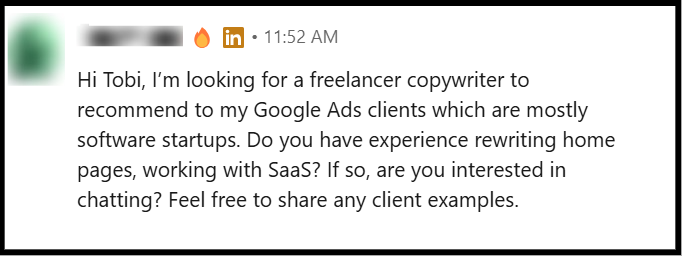 and have landed multiple clients by interacting on the platform.
So you might want to listen to what I have to say about LinkedIn social media management and all the perks.
But first things first: ‘The LinkedIn is cringe mentality’
Everyone, or at least a good portion of avid X users (and Elon’s followers), believes LinkedIn is cringe.
It’s social media for corporate culture. A place for mutual praise and fake talk. Feels very performative … And a lot of other vulgar words I wouldn’t want to soil your thoughts with have been said about the platform.
I’m neither with nor against the idea of the social media platform being cringe. Because that doesn’t have as much to do with my bottom line.
At least not as much as the fact that cringe, shame, and embarrassment are but constructs of the mind that every creative must, at a certain stage, break free from to bring the art of their craft to life.
So whatever opinion you or anyone else has about LinkedIn, I honestly don’t care. And would say, as you approach the rest of this piece, please put those opinions aside, throw them out the window if you must, but just ensure they are out of sight — it’s fine to focus on the stuff you came here for.
Getting started on LinkedIn
I’m not going to bore you with the upload a profile pic and use your real name cliché.

What I’d advise you do, though, when getting started, is to ensure you have developed a thick skin for being ignored.
Because nobody cares about you on LinkedIn. If anything, 80% of the folks you will meet on there are faking it, and subconsciously believe you’re doing the same.
But that’s their opinion; it has nothing to do with you (except you’re also planning to fake it, which, in that case, this piece won’t be of any use to you, and I advise you stop reading).
Now that we’ve got the fakers out of the way, let’s highlight the one thing that can help you develop the thick skin I just spoke of:
Being a sucker for passion.
I know you’ve heard it a million times, but indeed, ‘nothing beats good old passion.’ And if you must be on LinkedIn (and make a living creating content on it), you must be passionate about the type of content you create.
You must genuinely care about your audience; how they perceive your work; the vulnerability you attach to it, and the sense of dedication you let out.
Keep in mind that passion tops my list of virtues for developing thick skin when managing a social media account because it is a serious driver for motivation (which you would need every other day of the week).
You see, even as I write this piece, my mind is, at this moment, drawn to a million other things. I’m currently yawning and thinking of making good on a long-held craving. Just want to be done with the next word and get back to doing any other thing … but this.
Yet, I won’t stop writing, because writing is something I have honed deep passion for, and that passion keeps me motivated to keep going.
But passion is never enough. Because passion is intangible. So anyone can claim to be passionate. What’s not so intangible is …
Seeking out an audience.
Niching down to identify an audience that’s genuinely worth your passion is the second unspoken LinkedIn virtue that can help develop the thick skin you need to stay consistent on LinkedIn.
However, I must clarify that you can’t niche down enough, regardless of how much you try. And that judgment and compromise are of the utmost importance here.
At the moment, I’m an SEO and GEO copywriter for SaaS brands. That’s how I am currently positioned on LinkedIn. But when it comes to sending cold DMs and my outreach activities, I target folks who founded writing tools I like.
Why not change my title tag to ‘copywriter for SaaS writing tools?’ Well, that’s too niched and limits my opportunities in the wider market. Which brings us to the next unspoken rule of getting started on LinkedIn.
Posting strategy
I bet you’ve heard of content calendars and posting cadence (post every day before 8:00 am in the morning and whatnot). I don’t really hold such tips in high esteem and deem them trivialities.

At least compared to the fact that your posting strategy should be built around recurring themes tied to your expertise.
If you’re a web designer, focus on web design ALL DAY LONG. Go deep into it (talk about coding), let loose a little (talk about using themes), and allow your work shine (talk about the mental strain and activities around it) … But above all, stay within the web design horizon.
Algorithm mismatch aside, a vast majority of LinkedIn users (at least the class that can afford to pay you) are quite impatient about inconsistent identity. If today you rant about web design and tomorrow you’re swayed towards email marketing, they would easily use the not in this type of content button.
I don’t want to talk about auto-generating posts with AI because I believe folks bold enough to take such paths aren’t as daring to have read this far. So it’s best I jump to the final rule:
Commenting
What I am about to say perfectly fits into the ‘posting strategy’ section and is a copycat of Mike Rosenberg’s advice on posting, but I left it for ‘here’ so I can explain how it applies to commenting too.
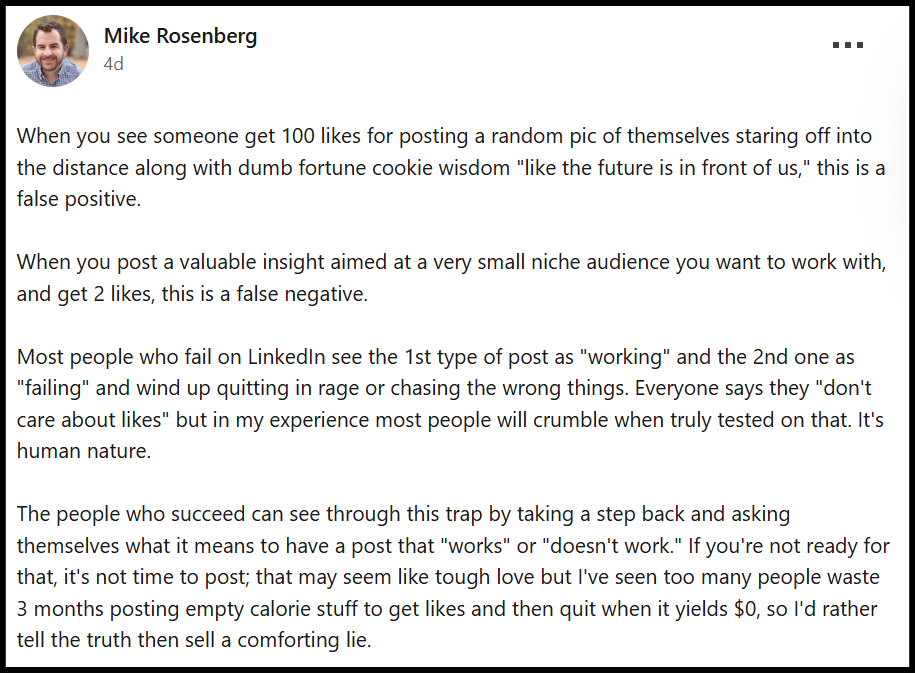
And yeah, same goes for commenting. If all you do is send birthday wishes and agree 💯 under every influencer’s post, you’re better off not commenting at all.
Not like the algorithm wouldn’t take it that you are interacting on the platform and boost your post further. It definitely would.
But know that your audience is watching, and seeking the same personality and oomph they find on your posts in your comments too.
What do you think they would do when they don’t find it?!
Overall, you’re better off invincible in the comments than going around being a ‘yes man’.
Top 5 Tools for LinkedIn Social Media Management
To play the LinkedIn game well and actually win at it, you need a handful of tried-and-true tools. But keep in mind that while I use a handful of the tools below, my presence on the platform is not reliant on them. And I often go weeks without them.
However, if you intend to play the long game and, again, actually win at it, they’re all must-haves for your LinkedIn arsenal, and … most of them are free.
|
CWS: 4.7 (69) |
Ease of use: 5/5 ⭐⭐⭐⭐⭐ Features: 3/5 ⭐⭐⭐ Affordability: 4/5 ⭐⭐⭐⭐ |
Best for LinkedIn creators who want an intuitive editor and in-depth analytics.
|
|
G2: 4.2 (2210) |
Ease of use: 4/5 ⭐⭐⭐⭐ Features: 5/5 ⭐⭐⭐⭐⭐ Affordability: 3/5 ⭐⭐⭐ |
Best for anyone who wants to accurately filter through their LinkedIn audience.
|
|
G2: 4.7 (7663) |
Ease of use: 5/5 ⭐⭐⭐⭐⭐ Features: 5/5 ⭐⭐⭐⭐⭐ Affordability: 5/5 ⭐⭐⭐⭐⭐ |
Best for covering the visual half of the job copywriting skills don’t touch.
|
|
G2: 4.1 (2948) |
Ease of use: 3/5 ⭐⭐⭐ Features: 5/5 ⭐⭐⭐⭐⭐ Affordability: 5/5 ⭐⭐⭐⭐⭐ |
Best for tracking client conversations over a long period of time (months and even years).
|
|
G2: 4.5 (6862) |
Ease of use: 3/5 ⭐⭐⭐ Features: 5/5 ⭐⭐⭐⭐⭐ Affordability: 5/5 ⭐⭐⭐⭐⭐ |
Best for answering conversion-based questions like: Did any of this ever actually leave LinkedIn?
|

1. AuthoredUp — for writing and managing LinkedIn content
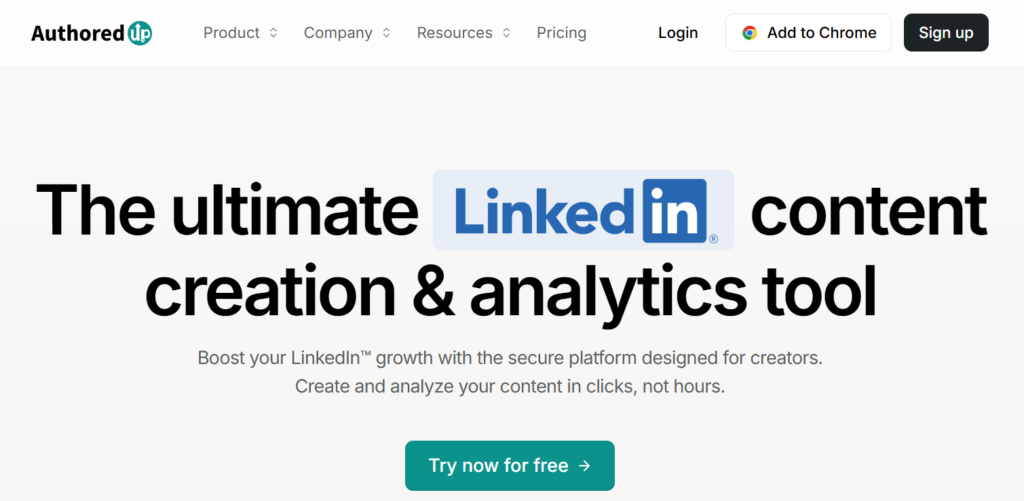
AuthoredUp comes in handy when managing several personal profiles at once and you need somewhere to draft, organise, and analyse posts without relying on LinkedIn’s frankly embarrassing native editor.
It upgrades LinkedIn’s editor into something you can actually work in — bold text, real line breaks, a hooks-and-endings library, and per-post analytics more intuitive than what you get on a LinkedIn free plan.
💰 Starts at $19.95/month for one profile, or $14.95/profile/month on the Business plan (three-profile minimum).
|
Overall AuthoredUp is not going to write your LinkedIn post or manage your comments. What it does is keep drafts, previews, and performance numbers in one place so you can easily spot what’s performing and what’s not. |
2. LinkedIn Sales Navigator — for prospect discovery & lead intelligence
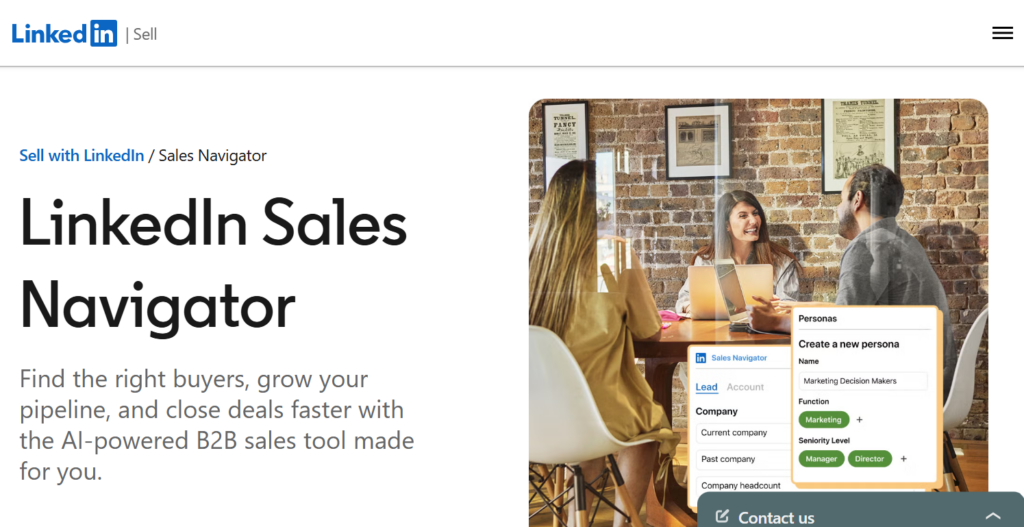
All that niching down we talked about earlier means nothing if you can’t find the audience worth niching for. Sales Navigator lets you filter by job title, company size, and industry, so you’re not blindly connecting with strangers and hoping a few of them turn out to matter.
Sales Navigator replaces LinkedIn’s basic search with 50+ advanced filters — seniority, company headcount, years in role, geography, recent job changes — plus AI-generated Account IQ and Lead IQ summaries that brief you on a prospect before you ever send a message.
InMail comes bundled too (50 credits/month on every tier), so you can message people outside your network without waiting on a connection request.
💰 Core starts at $119.99/month or $1,079.88/year (a 25% discount), built for individual sellers. Advanced runs $159.99/month or $1,799.88/year and adds team seat management, centralized billing, and deeper CRM insights. Advanced Plus is quote-only, aimed at teams syncing leads directly into Salesforce or HubSpot.
|
Overall Sales Navigator is not going to write your DMs or manage your comment section. What it does is hand you a filtered, intelligence-backed list of exactly who’s worth DMing. |
3. Canva – for graphics, carousels & creative assets
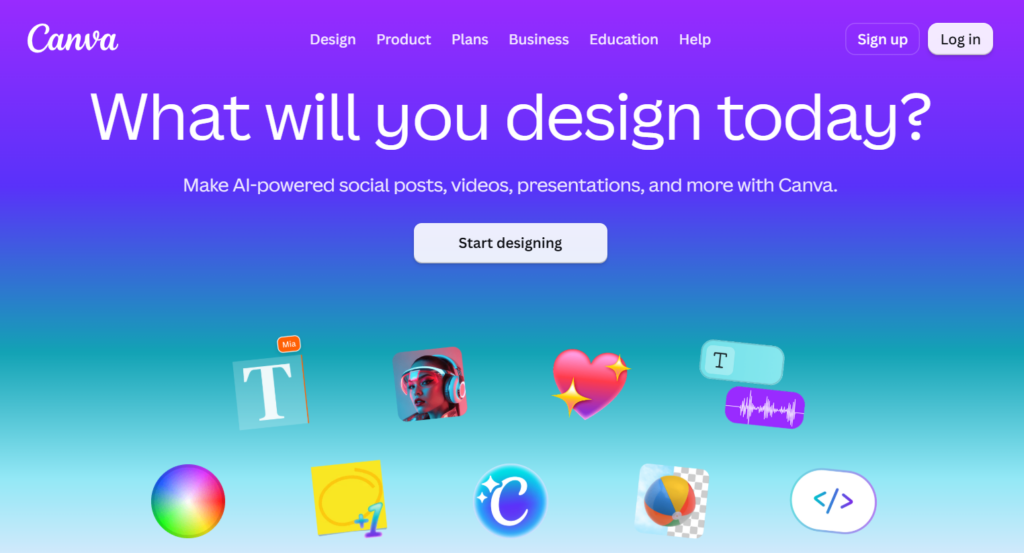
Canva covers the visual half of the job that pure copywriting skills won’t touch: clients’ explainer carousels, before-and-after graphics, or quote cards pulled from a founder’s comment. At its core, Canva offers you:
- Brand Kit that locks in a client’s colors, fonts, and logo.
- Built-in Content Planner that can schedule the finished design straight to LinkedIn.
- A drag-and-drop design editor is stocked with templates sized specifically for LinkedIn posts.
- Magic Studio that handles one-click background removal, instant resizing across formats, and text-to-image generation, drawing from a monthly credit pool.
💰 Free covers casual use. Pro runs $18/month, or $12/month billed annually, per person, with 100GB storage and the full Magic Studio suite. Business (the plan formerly called Teams) runs $25/user/month with no seat minimum, adding shared brand controls, folder permissions, and design-approval workflows.
|
Overall Canva is not going to replace your need for a dedicated designer in the long run. Although, at a moment’s notice, it can uplift your low-performing design skills into the honed expertise required to create on-brand visuals. |
4. Zoho CRM – for lead/contact/deal management
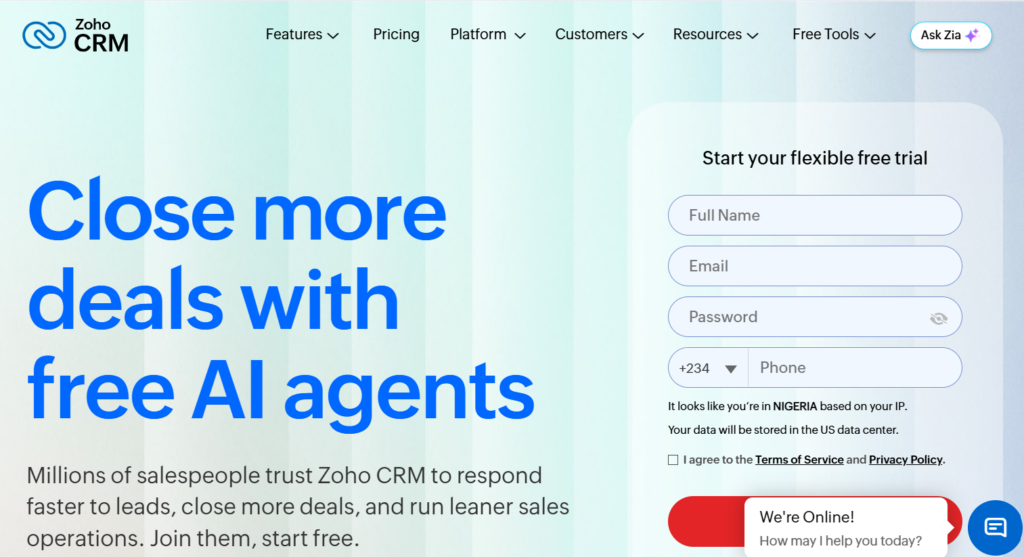
Once a comment turns into a DM, and a DM turns into an actual conversation, Zoho CRM is what you need to keep track of how it’s unfolding.
The free CRM tracks leads, contacts, and deals through a customizable pipeline, with workflow automation, lead-scoring rules, and mass email built in from the Standard tier up.
Professional adds Blueprint, Zoho’s visual process-management tool that standardizes how a lead moves from “commented on a post” to “signed client” across an entire team.
Enterprise layers on Zia, Zoho’s AI assistant, for predictive lead scoring and custom modules once the pipeline gets complex enough to need them.
💰 Free covers up to 3 users with core lead/contact/deal tracking. Standard runs $14/user/month, Professional $23/user/month, and Enterprise $40/user/month — all billed annually, and all cheaper than most CRMs at the same feature depth.
|
Overall Zoho CRM is not going to filter your list like Sales Navigator, and isn’t even built to work inside LinkedIn. What it does, though, is make sure the relationship you built through years of enhancing your posting strategy and commenting game stays top of mind, relevant, and evergreen, at all times. |
5. Google Analytics – for website traffic & conversion tracking
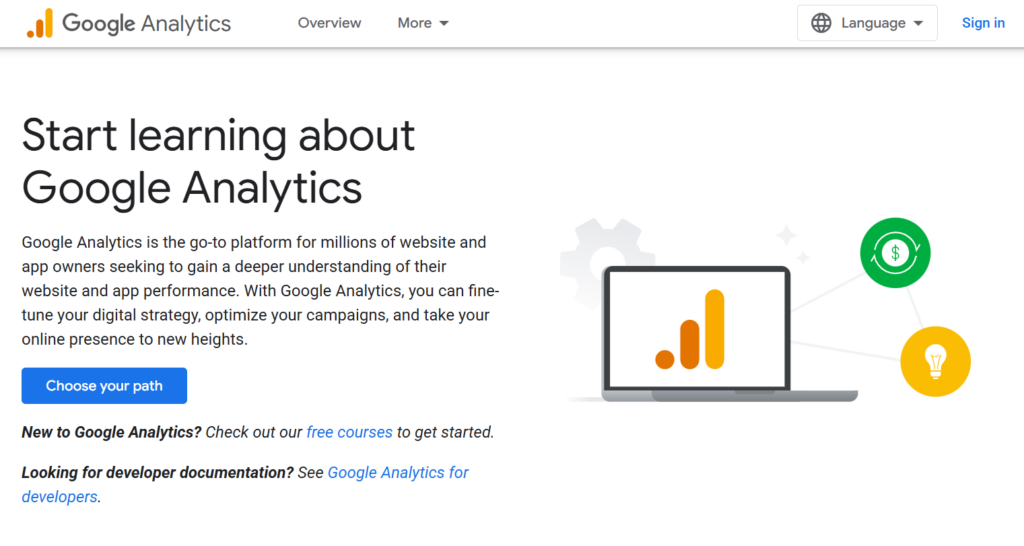
If you’ve done everything else on this list right—posted consistently, commented like a human, sent the DMs—and need to answer the one question none of those tools can: did any of it actually bring anyone to your website (or that of your client’s)?
GA4 tracks acquisition (which channel—LinkedIn, organic, referral—actually sent the visitor), on-site behavior, and conversion events, built on an event-based model rather than the old pageview counting.
It supports up to 25 custom dimensions, builds audiences for ad retargeting, and holds data for up to 14 months on the free tier. The tradeoff: heavy traffic gets statistically sampled in complex reports, and standard data typically lands 24–48 hours after the fact rather than in real time.
💰 Free, full stop, for the vast majority of sites. Analytics 360, the enterprise tier, starts around $50,000/year and is quote-only — built for organizations processing traffic at a scale this article’s readers almost certainly aren’t at yet.
|
Overall Google Analytics is not going to tell you which LinkedIn post performed best — that’s what AuthoredUp is for. What it does is tell you, in cold numbers, whether your LinkedIn effort ever actually left LinkedIn. |
Before you go
LinkedIn, like every other social media platform, rewards originality, consistency, and vulnerability.
But unless you already have an existing audience somewhere and have a strategy in place to get them to support you on the platform, you can’t afford to rely on performance metrics early on.
You might be the only one liking some of your posts. And can probably ask your spouse to help out for the confidence boost. Or even create a company page to assist.
My only advice is don’t fall for the trap that your effort ain’t compounding … or worse, deviate from your niche because the metrics keep telling similar stories.
Stay consistent. Stay original. Stay vulnerable. And time will tell.

- 3 Unspoken Rules to LinkedIn Social Media Management - 17/08/2026
- Software Comparison: The Definitive Guide - 28/12/2023
- Factual Vs. Opinion-based Software Reviews: Which Converts Best? - 11/10/2023