A troubling thought, isn’t it?
You’re trying to gather information for a software comparison article but can’t wrap your mind around the features and criteria that make a comparison piece worth the read.
And come to think of it, what makes your software evaluation any different from an AI scrambled copy?
After all, you’re still relying on Google to feed your knowledge bank—messing around review sites and social media platforms for heads up… same old, same old.
Readers have seen it all before. Nobody gives a crap. With regurgitated data, your comparison article might even turn out biased; why would anyone care?
Well, there is no one true answer here.
If you feel stuck gathering data for a software comparison piece or fazed out as soon as you try to structure your article, don’t get all worked up, you are not alone. And if this is any consolation, such are ordeals of the best.
All in all, it’s always one step at a time. You must take baby steps for the giant steps to follow. To that end, I wrote this software comparison guide to get you past the starting line. If you’re patient enough to stay tuned, you’d be a step away from the finish line at the end of this read.

What is Software comparison?
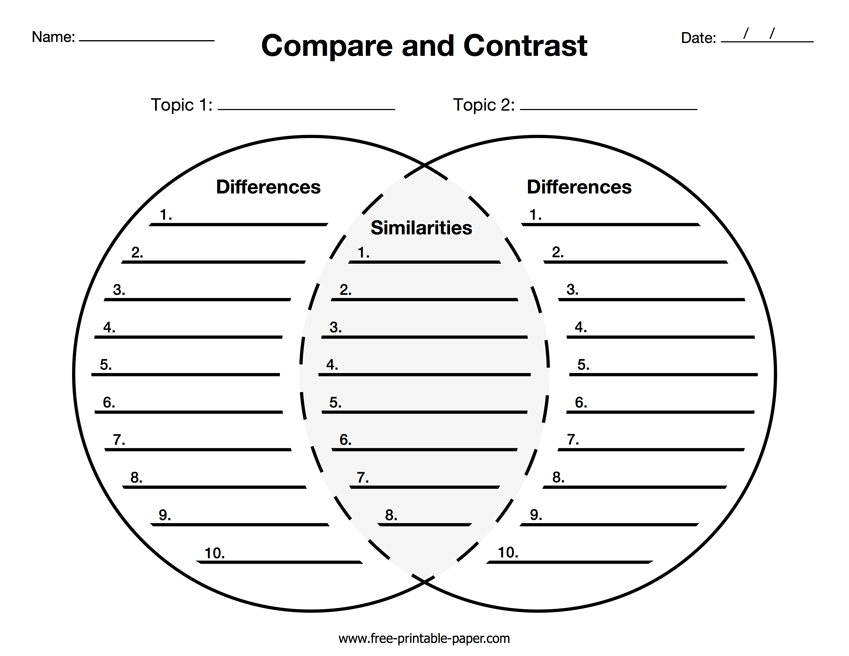
Software comparison is the art of taking two (or more) software brands and placing them on an ordinal scale—weighing features, attributes, and characteristics—to identify the best option for a specific audience.
Successful comparison articles are free of biased sales or marketing input.
These blogs help subscribers understand why they need to pick one software over another. It equips them with the data, evidence, and knowledge required to make an informed decision.
No sale-sy or persuasive pitch here. Just plain-old simple informative articles.
What is the Best Way to Compare Software?
The best way to compare software is by pairing two brands and going head to head (blow to blow) on features, reviews, and ratings. Such comparison pieces give readers an accurate description of what both software can and cannot do—the target audience they serve and the security/privacy risk attached to usage.
But odds are, not everyone wants a two-way (Notion vs. Coda) comparison. Some readers desire a concrete list of the top 10 or, possibly, top 20 software in a category. Below are some alternatives to explore:
- How Each Stack Up: highlight key features of multiple software against a standard set by the competition (or your client’s USP).
- A Detailed Rundown: how your client’s software and the competition stand in contrast to industry trends.
- Pros & Cons: exploring negatives and positives; benefits and drawbacks.
- Ultimate Guides: writing everything a reader needs to know about one, two, or more software.
- Competitor comparison: excluding your product and spotlighting how the competition is getting by.
- Checklist: compiling a list of features or criteria to serve as a standard for comparison.
How to Structure a Software Comparison Guide
There is no one-size-fits-all way to structure a software comparison page or article. Your format largely depends on the features or criteria you deem relevant to your readers.
However, to ensure your comparison piece dont come across as smoke and mirrors, explore existing comparison blogs in the niche that are worth their salt. Intuitively inspect their structure and formatting. Learn the ‘why, how, and what;
- Why did they place this feature above the other? (Strategy)
- How did their audience react? (Result-oriented tips)
- What steps can I take to make my structure better? (Action)
Honestly, behind every successful software comparison page, you’d find several enthusiastic writers and designers graciously sparing a minute to structurally dot the i’s and cross the t’s.
When to Use Software Product Comparison
Software comparison articles or pages serve as a round-the-clock salesman for your brand. Use software product comparison when you want to reach out to:
- Prospects comparing multiple software options
- Potential users yet to finalize their buying decision
- Skeptical subscribers
What’s noteworthy here is that, bareboned, software comparison articles/pages help you own your marketing narrative in an oversaturated market. A solid comparison article is a big flex for converting a jaded audience or giving the competition a run for their money.
How to Fill out a Software Comparison Template (Criteria to compare)
At this junction, it’s only natural I discuss what you need to include in a software comparison spreadsheet, all the factors you need to consider, and how to compile your rationale and document your research.
Average User Rating (Review sites)
We all rate the software we love. Sometimes by clicking five stars in the first ad pop-up. Other times, by using the software over and over again. So indeed, if you want to know if a software is any good to its target audience, start by analyzing its rating on a global scale.
For personalized info, visit paid and free software review sites like G2 Crowd, Capterra, Software Advice, Trustraduis, GetApp, Truly, WebRetailer, IT Central Station, Serchen, et al.
One big thing. For relatively new software, review sites wouldn’t move the needle. Tie loose ends by contacting support or getting in touch with as many existing customers as possible.
Software Pricing (Cost & Plans)
I’ve never seen any software user tag ‘pricing’ as an afterthought. Even fortune 500 companies clearly consider budget when searching for a SaaS productivity tool.
The thing is, cost is amongst the few software comparison touchpoints that can undermine or give intrinsic value to all the bells and whistles of a product.
Clearly state the available plans and pricing of each software you’re reviewing. And if, for any reason, you can’t find the price tag attached to specific software, be descriptive; explain what their plan or subscription entails. In all you do, don’t leave readers hanging.
Software deployment (Mobile & PC compatibility)
Some software works best on a PC. Some are optimized for phones. Others require a desktop and mobile deployment. It all depends on the target audience.
Now, while on-the-go user experience (mobile) is all the rage amongst Gen Zs, not all SaaS needs to be mobile. Software deployment as a comparison criterion only influences the status quo when mobile usage is paramount.
For the most part, it’s important you find out how each software compares in terms of deployment. But before including the facts and figures in your article, ensure your findings outrightly support the needs of ideal users.
Software Training (Ease of use & Learning curve)
On a personal note, if you are reviewing a B2C software built to serve individuals (Netflix and the like), you’d want to weigh ‘software training’ as a comparison criterion from an ease-of-use standpoint. Consider questions like:
- How foggy is the software interface?
- Is it intuitive and easy to learn?
- What’s its speed like in comparison with the competition? Etc.
However, you’d want to weigh the learning curve if you’re reviewing a B2B software built to serve businesses (HubSpot and the like). Consider questions like:
- How long will it take for users to understand the intricacies;
- Are major features hidden?
- Is the training material lengthy?
- What about the home page; the available features aren’t scattered all over, right?
In all, software training involves bearing out speed, accessibility, learning curve, and ease of use compared to the competition.
Support (Availability and responsiveness)
In software reviews, some attributes are must-haves, while others are nice-to-have. For example, software deployment isn’t always essential. And users don’t always fancy too many integrations.
But for every software, whether it’s for food delivery or project management, support tilts the wheel. And hey! Support doesn’t just imply 24/7 sales rep. Every channel, individual, or community propagating the software’s Gospel counts as support.
Examine each software support characteristic with a fine-tooth comb. Check the responsiveness of their social media channels. Are they always available? Do they have a forum? Any band of loyal fans? What about the in-app experience, any sideline pop-up for instant support?
Features (Integrations and usage)
A software is only as formidable as its features. What a software can do and the audience it serves depends on how well its features are built. In essence, you’d want the mic to be at its loudest when documenting or comparing features.
Understandably, there are over 30,000 software in multiple categories, so I won’t be able to list out the basic features you need to review when comparing software. Hopefully, in subsequent articles, I’d do justice to this much-needed information.
For now, know this: more features don’t always mean a software ranks one amongst its peers. I’ve seen a handful of developers focus on the garnishing at the expense of the meal—not all features count. First, analyze the audience it serves and how useful each feature is to an ideal subscriber before giving a verdict.
Target audience (Existing subscribers & potential users)
It’s 4:21 am, and I’m struggling to keep my eyes peeled as I craft this piece. While I hope this article would, in the long run, have a tangible effect on my SEO activities, it’s not entirely a selfish bargain.
In fact, every word I write is only as valuable as you—my reader—deem it. If, for any reason, you stop finding this piece useful at some point, close the tab and engage in something else.
The same goes for your audience. Your software comparison article is only as valuable as an ideal audience sees fit. Before you write a word, know your audience, not as a basic comparison criterion, but as someone willing to hear you out. Depending on the required tone of voice, you can view an ideal reader as a friend, co-worker, student, or family.
Another thing. Be descriptive about your audience. Instead of making generalized statements or assumptions, focus on a niche. For example, this guide won’t thrive in the hands of a copywriter or content writer in the travel or lifestyle industry; I explicitly designed it for SaaS writers.
Operating specifications (Size and Use)
Software varies in size and use. And sometimes, the fogginess users experience is no fault of the designers. Your desktop RAM or Phone memory plays a tricky role here.
So if you really feel like writing software reviews and comparison articles is your cup of tea, opt for a high-performance PC and mobile phone. Otherwise, you risk tarnishing the credibility of a highly researched review piece simply because your laptop couldn’t stand the heat.
Anyways, some of the attributes you’d want to take note of in terms of operating specifications include the size of the software, loading speed, compatibility with regular PCs and mobile phones, and terms of use—endeavor to jot down this information in a dedicated column of your spreadsheet.
Use Cases (who fits the bill?)
When comparing two software, take notes of points that highlight this fact: ‘Not every potential reader fits the bill of each software’s ideal customer profilee (ICP).‘ One software might be built to serve fortune 500 companies and the other SMEs.
Your audience wants to know which software will best serve their needs. And it’s your job to inform them.
But the thing is, most SaaS brands rarely define their audience to such predictable degrees. You’ll need to be intuitive with your research to know if a brand serves big or small enterprises by identifying the category where they are batting a thousand.
Philosophical standpoint (Play the history card)
If you’ve always seen software as all coding and programs (0 & 1), I hope you can spare me a minute to inform that narrative.
Indeed, software design and creation is more of a science than art. But the sales cycle, how users view it, and their emotional response to a software essentially boils down to what the software represents in a philosophical world. For a descriptive example, permit me to steal a page from the Notion vs. Coda debate.
Notion, at its inception, was a note-taking app. But over time, as the requirement became paramount, it evolved into a project management app. Coda has always been a project management app, offering more wiggle room for collaborative activities.
Now, from a philosophical standpoint (fundamental nature), Notion and Coda—while operating as project management software—go by different codes of conduct. Based on Notion’s history, its note-taking activities ride the wave; for Coda, integrations and collaborative activities run the gamut of project management.
So yes! In your spreadsheet, create space for a little bit of current affairs (history), it will help guide the philosophical narrative behind each software.
Community and Social Reviews (social media platforms & forums)
What better place is there to gather information about software than social media communities and forums?!
This is a no-brainer. There is Twitter, Facebook, Reddit, Linkedin, Pinterest, and a truckload of other social media channels at your disposal. You can join tech forums, subscribe to prominent software newsletters, and ask existing users for insights and ideas.
By and large, where feasible, take notes of outstanding comments. If, at any instance, you find a credible quote or analysis of the software you’re reviewing, include them in your comparison article and cite the source.
Red flag: you can’t take every word you find on social media platforms at face value. Lots of half-baked ideas run wild there. Before including any third-party information, for or against your client, in your SaaS review, run a journalistic background check on the source.
How to Use a Software Comparison Template
Now that you’ve all the information you need to accurately understand how each software compares, it’s time to get started with spreadsheet documentation. Here’s how:
- Open a spreadsheet.
- Register the criteria you’d like to compare in different columns
- Include the brands to explore
- Highlight the key features and other findings
- Analyze the data
On the sidelines. A quick Google search for the ‘best software comparison template’ will leave you with hundreds of downloadable excel sheets and a handful of brands offering automated comparison templates at a premium.
So if an excel or Google sheet feels bulky or ineffective, avoid getting fizzled out; you’ve got a truckload of alternatives.
The Last Dance

Indeed, when crafting a software comparison guide for readers you care about, the more information you can gather, the better. Though it’s not ethical or logical you include every research data in your article’s final draft.
From the get-go, document your research in a parent-child manner. Begin with the hardcore facts (features) and follow up with additional evidence (ease of use) before playing the emotional card (philosophical standpoint).
Peace out!✨

- Software Comparison: The Definitive Guide - 28/12/2023
- Factual Vs. Opinion-based Software Reviews: Which Converts Best? - 11/10/2023
- Is Writesonic Any Good for SaaS Content Writers? - 09/10/2023